Can AI automatically assemble action sequences or fight scenes without manual editing?
Last updated August 1, 2026
Yes — up to an assembled rough cut. The invideo agent can break a fight beat into a shot list, run parallel sub-agents for choreography, image generation, and image-to-video, then stitch accepted clips into one continuous sequence — a documented 45-second fight sequence was assembled this way automatically. Human editorial selection still gates quality: in one production only ~25% of generated clips made the final cut.
The invideo agent — an agentic video creation tool with all the current video models and automatic stitching built in — automates the fight-sequence pipeline from beat description to assembled cut. Describe the fight, and it breaks the beat into a shot list and storyboard grids (one documented production generated 3 storyboard grids for a single continuous fight sequence) before any video credits are spent.
Parallel sub-agents build the sequence. For one documented fight scene, a solo creator deployed 5 sub-agents simultaneously — choreography brainstorming, context updating, image generation, image-to-video conversion, and an alternate version of the same fight — all sharing one project context so nothing gets re-explained between them. That parallel setup is how the same solo filmmaker shipped a full 10-minute episode in under 10 days. If you lack choreography expertise, screen-record a reference fight sequence and upload it; the invideo agent analyzes the choreography and reinterprets it for your shots.
Automatic assembly exists — the slate step. Once clips are generated and approved, the invideo agent can stitch them into one complete sequence without you touching a timeline: one documented project had a 45-second opening fight sequence assembled automatically, and another 60-second sequence was stitched from 8 accepted clips. So the assembly itself can be automatic.
Consistency prep is what makes automatic assembly hold. Build separate character sheets for before, during, and after the fight — combat changes appearance (bruises, torn costumes), and Seedance 2.0 generates frame by frame, so it loses character identity when the camera angle changes. Fast pans and whip moves are the documented break point, so lock per-state sheets first and specify camera behavior per shot.
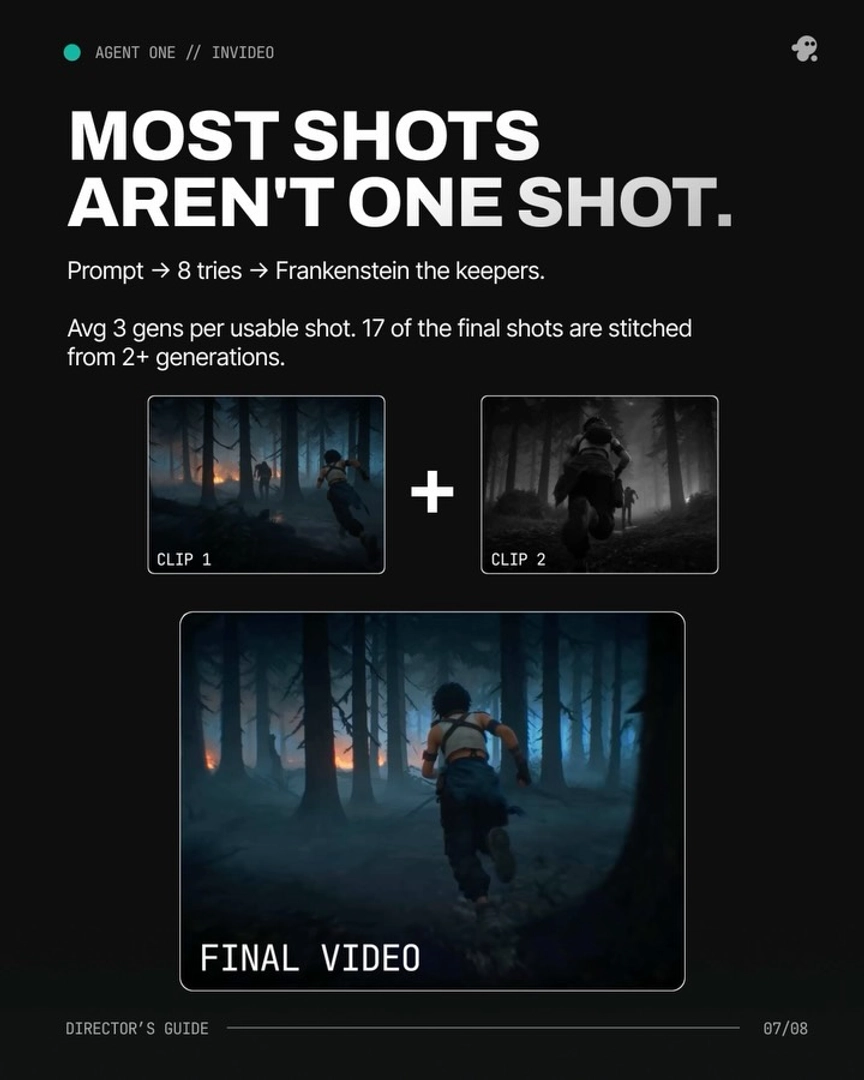
Where the human still works: selection, not cutting. Generation yield is the real gate — in one 3-minute action-heavy animated episode, 164 clips were generated, 41 made the final cut (~25%), at an average of 3 generations per usable shot with only ~5 seconds used from each 15-second clip. 17 of that episode's final shots were Frankenstein shots — the best seconds from 2 or more generations stitched into one. Use the invideo agent's reject-and-rework loop to mark weak clips with specific reasons so it proposes alternative interpretations instead of regenerating the same prompt, and upload your assembled cut back for an automated continuity audit — it flags prop changes and color-grade inconsistencies across shots. Keep the final pacing pass yourself.
On model choice: Kling 3.0 generates multi-shot sequences natively, while Seedance 2.0 produces 15-second action clips with native sound and handles burst-shot multi-angle coverage; both run inside invideo, and the invideo agent routes each shot to the right model.
Watch some of these to see what works for you:
It generated something called slate, which means it stitched all together all of the fight sequences and generated one final complete fight sequence... It saves ton of time.
— an AI filmmaker documenting a fight-sequence build with the invideo agent