What brand information do you need to give an AI agent before starting an ad localization workflow?
Last updated August 1, 2026
Before starting an ad localization workflow, give the AI agent six brand inputs: your brand guidelines deck (visual identity, color palette, tone of voice, website), a product sheet showing every packaging layer at human-hand scale, the winning reference ad plus its original voiceover file, market-specific offer and CTA copy, any app UI screens to translate, and cultural casting direction. This 15–20 minute setup persists across every market.
Brand guidelines and identity. Upload your brand guidelines deck — visual identity, color palette, tone of voice, the kind of films you make — along with your website link. The invideo agent (an agentic video creation tool with all current generation models built in) saves this in its context tab, the persistent project memory, so you never re-explain the brand on later generations. As invideo's creative team puts it: "If you're a brand that is running this for yourself, you don't have to ask the agent to research you. You can just upload your own brand guidelines deck with things like your visual identity, your tone, the kind of films you make, and so on." If no deck exists, the invideo agent can research the brand autonomously — in one documented run it pulled a brand's market footprint (150+ countries, 88.8 million users) into its knowledge bank before any creative work began.
Product reference sheet. Supply every layer of your packaging from multiple angles, including close-ups, photographed against a human hand so the invideo agent understands true scale. This input is what holds the product identical across markets: documented localizations achieved 100% product consistency across Japanese and Spanish versions of the same ads.
The winning reference ad and its original voiceover. Upload the source ad file itself — the invideo agent reads it and auto-builds a character sheet, location sheet, and full script translation from the reference alone, no manual brief required. Attach the original voiceover as a separate reference file so the translated VO matches the original's tone and pacing for lip-sync.
Market-specific offer and CTA copy. Lock approved promotional language into context per market — one production locked "20% off first booking" as its CTA, and a Japanese localization adapted the on-screen copy to "初回購入は最大45%オフ" (up to 45% off first purchase). Pre-approved offer wording prevents the agent improvising claims in a language you can't proofread.
App or UI screens and on-screen text. If the ad shows product UI, upload the screens: documented localizations regenerate 5 translated app screens per market and re-animate them in the original ad's sequence. Decide up front whether keeping English UI is acceptable — it can be, in markets where the app brand is already recognizable.
Cultural casting and market direction. State the target market's cultural, geometric, and ethnicity adaptations explicitly — what makes a localized ad land is casting someone the market actually sees itself in, not the translation. Optionally upload your existing UGC ads so the invideo agent learns your brand's creative style before adapting it.
Once everything is loaded, lock the context and product visuals, then ask the invideo agent for an estimated generation breakdown — how many reference sheets, video clips, and UI screens it plans to generate — so you know approximate spend before committing credits. The setup pays back immediately: brand context takes 15–20 minutes one time, the first localization runs about 2–2.5 hours, and each additional market drops to roughly an hour, at $70–$145 per localized ad across documented runs (rejected clips included). Treat the whole package as a reusable brand manifest and re-version it when guidelines or offers change, since every locale variant inherits whatever is stored in context.
Watch some of these to see what works for you:
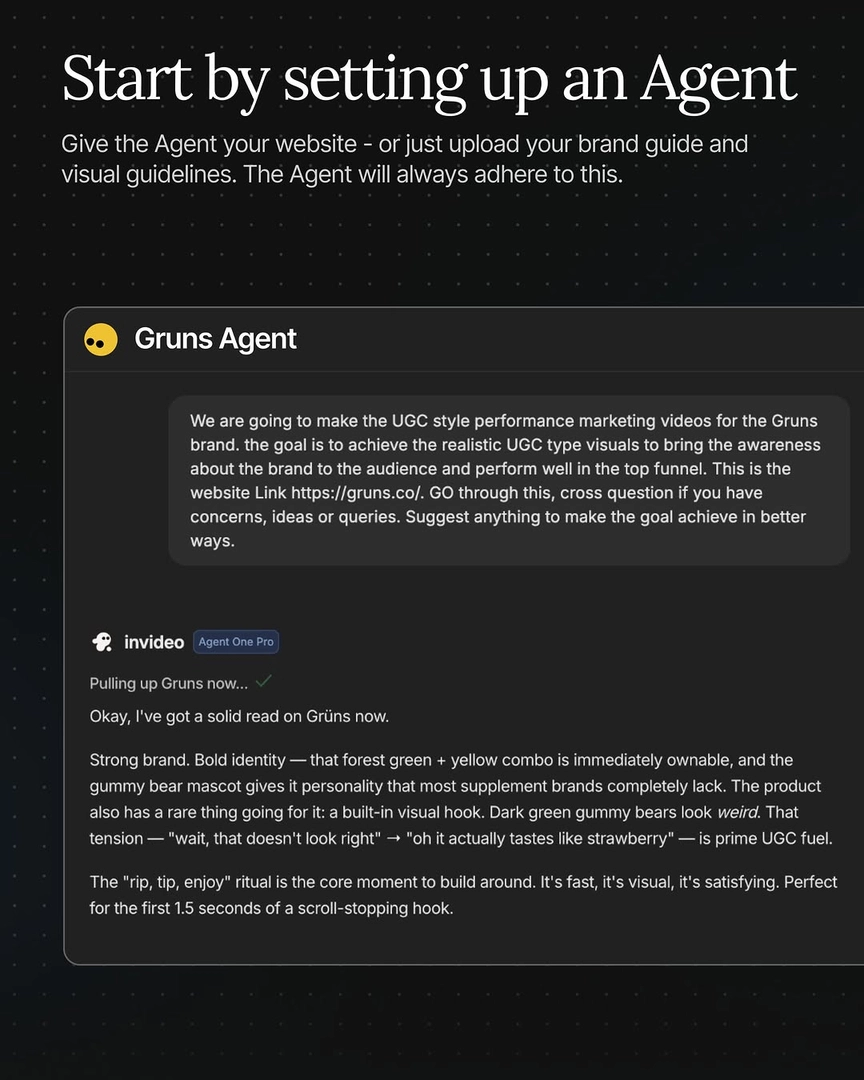
If you're a brand that is running this for yourself, you don't have to ask the agent to research you. You can just upload your own brand guidelines deck with things like your visual identity, your tone, the kind of films you make, and so on.
— invideo's creative team