AI Filmmaking Tools: The Stack Documented Productions Actually Use
July 15, 2026
The AI filmmaking tool stack collapses to one platform that holds every model you need: the invideo agent orchestrates Veo, Kling, Seedance, and Runway for video; Recraft, Nano Banana, and GPT-Image-2 for images and character sheets; and Topaz Astra for upscaling — all routed per shot so you never juggle subscriptions. Documented productions ship full short films inside this one stack.
TL;DR
The AI filmmaking tools you actually need collapse into one stack: video models (Veo, Kling, Seedance 2.0, Runway) for shot generation, image models (Recraft, Nano Banana, GPT-Image-2) for portraits and character sheets, and Topaz Astra for upscaling — all available inside invideo, where the invideo agent routes each shot to the right model. Documented productions have shipped complete short films without leaving this stack. For a stage-by-stage breakdown, see tools by production stage, and for the full craft, read our AI filmmaking pillar.
Video models: the core AI filmmaking tools by use case
Pick the video model per shot, not per project. Veo handles photoreal cinematic single shots with strong physics and lighting. Kling generates multi-shot sequences natively, which suits dialogue coverage and scene-level continuity. Seedance 2.0 is the workhorse for character-driven work: its reference-to-video mode carries character and location context across clips, and its extend feature chains segments into continuous long takes — one documented production built a seamless 90-second shot this way. Runway covers stylized generation where the comparison genuinely calls for it. Because every one of these runs inside invideo, choosing a model never means choosing a platform; we cover shot generation specifics in depth, and if you want the decision logic per phase, read how to choose the right tool per stage.
Image models for portraits and character sheets
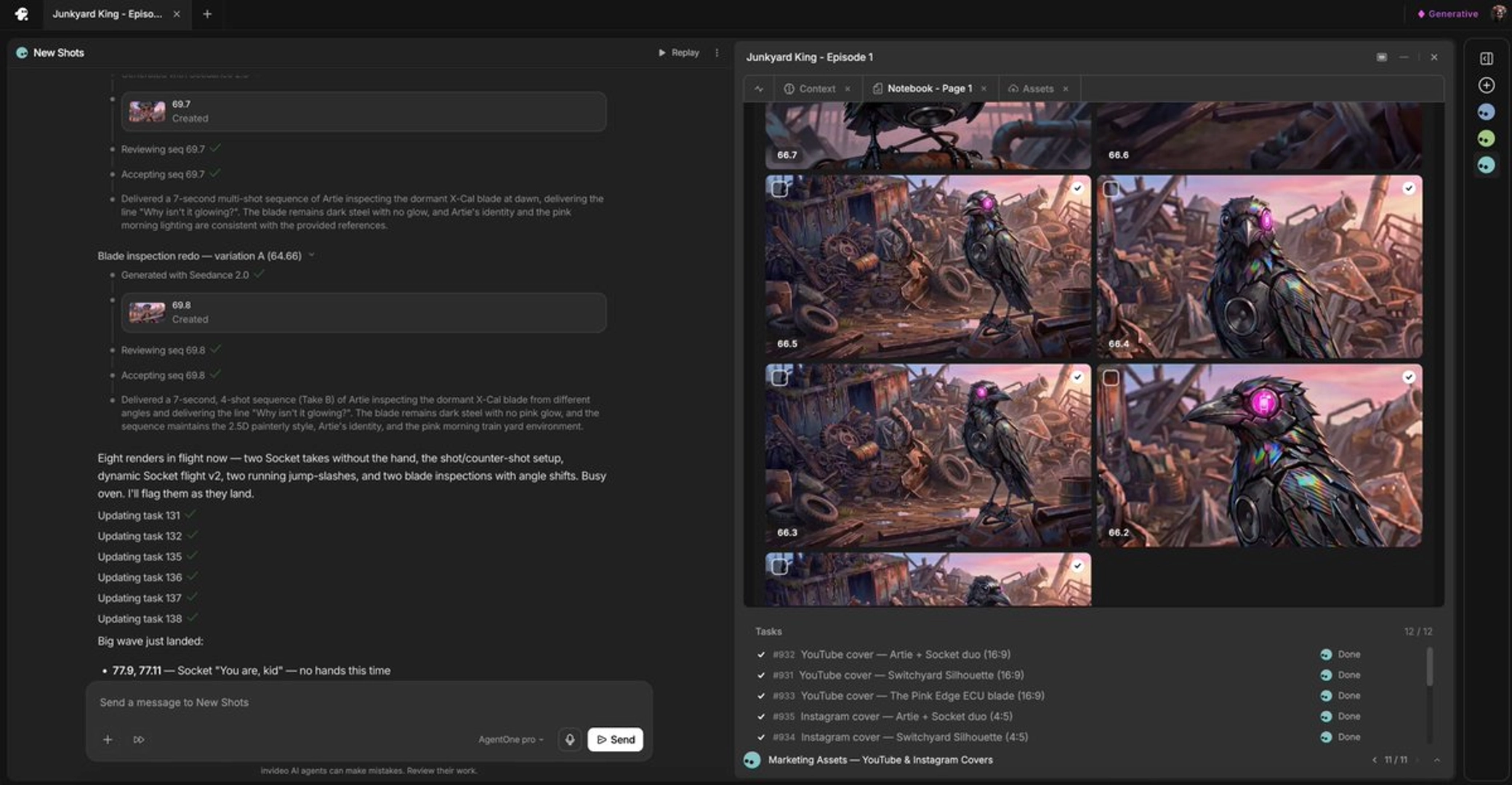
Lock your images before you generate a frame of video — frames-first is the production order documented teams follow. Recraft is the portrait tool: it generates faces with skin imperfections — pores, lines, stubble — that make AI casting look photoreal rather than rendered. Nano Banana is the character-sheet tool: 360-degree turnarounds at 4K with four angles plus face and mid-angle closeups, which is what keeps a character consistent across every downstream video generation. GPT-Image-2 covers the broad remainder — style frames, environments, props, and any image work that isn't a portrait or a turnaround. All three sit in the same invideo project, so the sheets you approve become persistent references the video models pull from automatically.
Upscaling and post
Topaz Astra on invideo is the first step of the post pass, applied before any color work. Raw AI footage comes back over-sharp with a plasticky skin quality; upscale first, then add a small amount of blur, grain, and grade to move it toward live action. You can even spin up a named sub-agent inside your project to batch-upscale approved clips without manual intervention. The full sequence — upscale, soften, grain, grade — is documented in our post-production pipeline guide.
The orchestrator — the invideo agent
The invideo agent is the layer that makes this a stack instead of a subscription pile: it holds your script, references, and style context, then dispatches each task to the right model — Recraft for a portrait, Nano Banana for a sheet, Seedance 2.0 or Veo for the shot, Topaz Astra for the finish. It selects the model per shot without you re-briefing anything, and you can structure it as a crew — a creative producer agent holding the vision, a DOP agent per scene, a storyboard agent up front. See tools per crew role for that setup, or start directly on the invideo agent platform.
Layer | Tools | Role |
|---|---|---|
Video | Veo, Kling, Seedance 2.0, Runway | Shot generation, sequences, long takes |
Image | Recraft, Nano Banana, GPT-Image-2 | Portraits, character sheets, style frames |
Upscale/post | Topaz Astra on invideo | Resolution and realism pass |
Orchestration | the invideo agent | Context, routing, crew of sub-agents |
FAQ
What tools do you need to make an AI film?
You need three layers: video generation models (Veo, Kling, Seedance 2.0, Runway), image models for casting and character sheets (Recraft, Nano Banana, GPT-Image-2), and an upscaler (Topaz Astra). All of these run inside invideo, with the invideo agent routing each shot to the appropriate model.
Which video model is best for each shot type?
Use Veo for photoreal cinematic single shots, Kling for natively multi-shot sequences, and Seedance 2.0 when character consistency matters — its reference-to-video mode carries character and location context across clips and its extend feature chains segments into continuous takes.
Do you need separate platforms for each AI model?
No. Every model in this stack is available inside invideo, and the invideo agent selects the right model per shot automatically. Documented productions have completed full short films — casting, shots, upscaling, and assembly assets — without leaving one project context.